
Prototyping & Testing
Two days to learn to prototype fast and test before you invest. You discover how to make an idea tangible and testable in a few hours, with or without AI. Paper prototypes, storyboards, mock-ups, role play: techniques suited to any kind of project (product, service, interface, campaign…). Then you learn to run a test without influencing it and to check that your idea meets a real need, practising with fellow participants.
The problems you recognise
Course content
DAY 1
Prototyping: give shape to the idea, fast
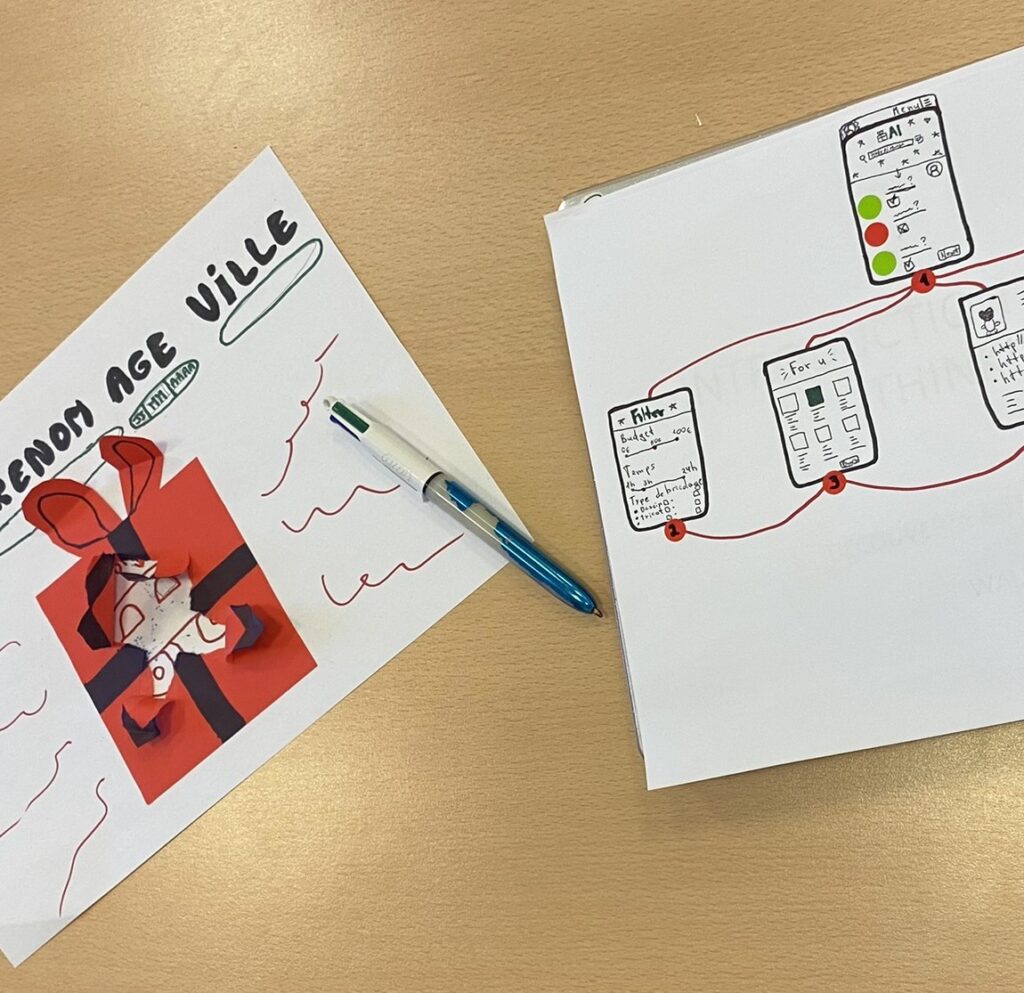
You discover and practise different prototyping techniques depending on the nature of your project, and build the reflex of making before polishing: prototyping is not finishing, it is learning. With AI, you generate visuals, mock-ups, content or conversational prototypes in minutes. For each tool, we look at what it saves you, what it lets you test and what it cannot replace.
Tools practised:
Paper prototype · Storyboard · Video · Mock-ups & wireframes · AI tools for rapid prototyping
DAY 2
User testing: learn from feedback and decide
You practise several test formats, taking turns as tester and test participant. You learn to run a test without influencing it, then to decide what to keep, iterate on or drop. AI-simulated users act as an early filter to spot blind spots, never as a substitute for real testing.
Tools practised:
User test guide · AI pre-test (simulated users) · 5-second test · Concept test · AI-assisted synthesis
What you gain
The “prototype first” reflex
You build the ability to make any idea testable in a few hours, whatever its nature.
A varied range of techniques
From paper prototypes to AI tools, you discover different ways to give shape to a project.
A rigorous testing method
You structure a user testing session and draw truly actionable lessons from it.
Clear guidelines on AI
You know exactly where AI saves you time (prototyping, synthesis) and where it never replaces people (observation, decision-making).
Format & logistics
Ideally an even number
Who is it for?
Frequently asked questions
What is a prototype?
A prototype is a quick, simplified version of an idea, product or service, just developed enough to be tested with someone. It can be a sketch, a cardboard model, a digital mock-up or a role play. Unlike a finished product, it is not meant to be perfect: its only purpose is to check an assumption before investing further.
What is a user test?
A user test means observing someone interact with a prototype or product to see how they understand it, use it and react, without explaining in advance how it works. The goal is not to collect opinions but to observe real behaviour, to identify what works and what needs adjusting before going further.
What will we prototype during the course?
A concrete, real idea from your organisation, not a fictional case. It is defined together beforehand, during the scoping stage, so the two days directly serve a project that matters to you.
Do you need to be able to draw or use digital tools?
Not at all. A paper prototype made with sticky notes and a pencil is often as effective as an elaborate digital mock-up. It all depends on what you want to test. I introduce simple digital and AI tools that are easy to pick up and speed up prototype creation.
Which AI tools do we actually use during the course?
Tools that generate images and mock-ups from a description, assistants to draft first versions of content, and synthesis tools to speed up test analysis. They are chosen for what they bring to your project, not for the technology demo.
Can AI replace a real user test?
No. AI can help you prepare a prototype faster or synthesise feedback you have already collected, but nothing replaces a real user’s spontaneous reaction to your prototype. That is exactly what this course teaches you to observe and capture.
Want to test your ideas before you invest?
Get in touch to organise this training course in your organisation.
Discover my other training courses
TRAINING
UX Research & Customer Empathy
Learn to interview, observe and test with your customers to build a real culture of empathy in your team.
TRAINING
Design Thinking Bootcamp
Discover in a single day how to innovate from your customers’ needs, from the first interview to a tested prototype.